It is a fair question, and you will not get a marketing answer here. Is UC Mini browser safe? The short version is that it is not a virus, it is listed on Google Play and millions of people use it, but the UC family of browsers has a documented history of privacy and security criticism. Whether it suits you depends on what you do with your phone. This article lays out what researchers found, what has changed and how to download UC Mini browser with sensible precautions. For the broader guide, see our UC Mini browser download hub.
Quick answer: UC Mini is a legitimate app from UCWeb (Alibaba Group), but its developer has faced credible privacy criticism, and the main UC Browser was banned in India in 2020. Use it for casual browsing, keep banking and email in a more privacy-focused browser, review permissions and download only from verified sources.
What Researchers Have Said About UC Browser
The most cited analysis is the 2015 report from the Citizen Lab at the University of Toronto, titled “A Chatty Squirrel”. Researchers examined the English and Chinese editions of UC Browser for Android and reported that it transmitted identifying information, device identifiers and search queries without effective encryption. In 2016, Alibaba provided updated versions for verification, and the follow-up analysis concluded that not every previously identified issue had been fixed. You can read the original in the Citizen Lab report on UC Browser.
Two things are important when reading that history. First, it concerns versions from several years ago. Second, it was about the main UC Browser app, not UC Mini specifically. It would be dishonest to claim the Mini is untouched by the same questions, because both come from the same developer, but it would also be unfair to say the old findings automatically describe today’s builds.

A Timeline of the Main Events
| Year | Event | What it means |
|---|---|---|
| 2015 | Citizen Lab publishes its report on UC Browser | Raised concerns about unencrypted data transmission |
| 2016 | Follow-up analysis of updated versions | Not all earlier issues were reported as fixed |
| 2017 | UC Browser temporarily removed from Google Play over a policy issue | UC Mini stayed available at the time |
| 2020 | India bans UC Browser along with many Chinese-owned apps | Official reasons cited data and security concerns |
| 2026 | UC Mini still listed on Google Play with updated builds | Active maintenance, though the history remains relevant |
You can find a broader summary of these events in the UC Browser overview on Wikipedia, which also mentions that a version added to Google Play in June 2020 was updated to comply with the store’s security guidelines.
UC Mini vs UC Browser: Does the Mini Share the Risk?
The honest answer is partly. The two apps share a developer and a similar approach to data saving. If you want a detailed comparison of what differs, read UC Browser vs UC Mini. The main points to keep in mind:
- The famous research focused on the main app, but the Mini’s concept is similar.
- Data saving works by routing page content through a service, which inherently raises trust questions.
- A smaller app has fewer features, so a smaller surface for things to go wrong, but that is not a guarantee.
Real Risks You Should Think About
| Risk area | How serious | What you can do |
|---|---|---|
| Data collection and analytics | Moderate, depends on your comfort level | Read the in-app privacy policy and limit permissions |
| Proxy-style data saving | Moderate for sensitive browsing | Turn off speed mode for logins and private tasks |
| Fake or modified APK files | High if you download carelessly | Verify package name, version and source |
| Outdated builds | High for old versions | Update when your phone allows it |
| Ads and promoted content | Low to moderate | Enable the ad blocker and avoid unknown links |
| Extra permissions | Moderate | Deny location, Bluetooth and other access you do not need |
How to Download UC Mini Browser Safely
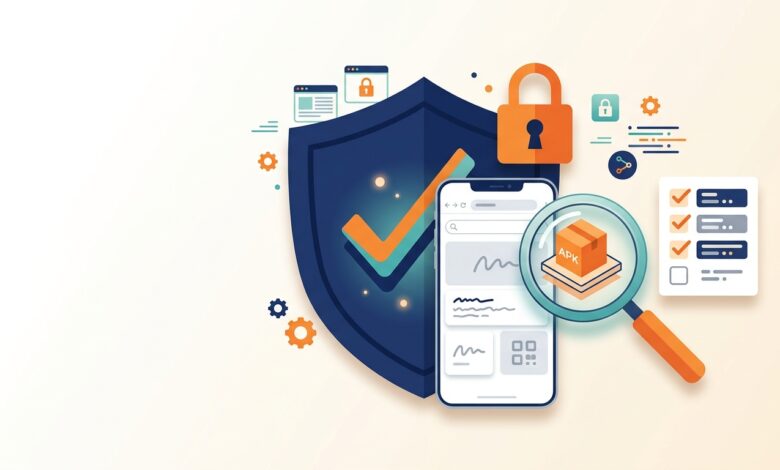
The biggest practical risk is not the official app. It is a tampered copy of it. Follow this checklist whenever you download UC Mini browser files.
- Prefer Google Play when the listing is available. The listing credits UCWeb Singapore Pte. Ltd. and uses the package name
com.uc.browser.en. You can view it directly on the Google Play listing. - If you sideload, check the package name. Imitations often change letters.
- Compare version and size across more than one source. Our UC Mini APK download page has a table of typical sizes.
- Scan the file with Google Play Protect or a trusted security app.
- Allow unknown installs for one app only and switch the permission off after you finish.
- Reject surprise extras such as forced surveys or additional downloads.

Privacy Settings Worth Changing
- Use incognito mode for private sessions. It keeps history off the device, though it does not hide you from websites or networks.
- Switch off speed mode for logins, payments and any sensitive browsing.
- Clear history and cache regularly.
- Review app permissions in your phone’s settings, not only inside the app.
- Choose a search engine you trust.
- Keep the browser updated, because older builds miss security improvements.
Who Should Avoid UC Mini?
Running the app on a computer through an emulator does not change the privacy picture, so the same cautions apply. If you plan to try that route, read UC Mini Browser download for PC first.
If you handle confidential work data, manage large financial accounts from your phone or simply have a strict privacy standard, choose a browser with a stronger privacy reputation instead. UC Mini is better suited to casual reading, video and downloads on modest hardware. Used that way, with sensible habits, many people run it without trouble.
Safer Habits for Any Lightweight Browser
| Habit | Why it helps |
|---|---|
| Use a second browser for banking and email | Separates sensitive activity from casual browsing |
| Enable two-factor authentication on key accounts | Protects you even if a password leaks |
| Avoid public Wi-Fi for logins | Reduces interception risk |
| Keep Android updated | Patches system-level weaknesses |
| Uninstall apps you no longer use | Shrinks your exposure |
What Everyday Users Report
Many users describe UC Mini as fast and light, praise the download manager and say they have never noticed a problem. Others complain about ads, content pushed to the home screen and concerns about the developer’s record. Those two groups are not contradicting each other. Plenty of people use the app without incident while still choosing not to trust it with sensitive logins. Both approaches are reasonable. For more on how the app behaves day to day, see the UC Mini browser FAQ.
FAQ: Is UC Mini Browser Safe?
Is UC Mini a virus?
No. The genuine app is a legitimate browser. The danger comes from tampered copies, which is why verifying the file matters.
Is the UC Mini APK safe to install?
It is safer when you verify the package name, version and source and scan the file. See our UC Mini Browser install guide for the process.
Was UC Mini banned?
India banned UC Browser in 2020. Availability of UC Mini varies by country and store.
Is the 2026 version safer?
Newer builds are usually better maintained, but history still matters. Details are on our UC Mini 2026 page.
Is it safe on an old phone?
Old phones and old builds are riskier. Keep sensitive activity off them. See UC Mini download old version for the trade-offs.
Final Verdict
UC Mini is a practical, lightweight browser with a real track record of users and a real history of privacy questions. Treat it as a convenient tool for casual use, not as a vault for your most sensitive data. Download from verified sources, trim the permissions and pair it with a privacy-first browser for accounts. When you are ready to continue, return to the main UC Mini browser download guide.